![A image about [object object]](/_astro/service-impact-stats-bg.B62RSS7F_ZMk0np.webp)
What is social selling and why LinkedIn is the best B2B platform?
Social selling is a sales strategy that uses social media to build relationships with potential customers before any sales conversation takes place. Unlike cold calling or mass emailing, social selling is built on trust, expertise, and valuable interactions.
Why LinkedIn? Over 80% of B2B social media leads come from LinkedIn. It’s the only platform where decision-makers — directors, managers, business owners — actively search for business solutions. LinkedIn Sales Navigator allows you to precisely identify these people, track buying signals (buyer intent), and build relationships at scale.
The problem: Most sales teams use LinkedIn like a phone book — sending mass invitations and template messages. Conversion from this approach has dropped from 60% to 30% in two years. In this training, I’ll show you how to do it differently — using data, automation, and Account Based Marketing.
Read more about LinkedIn changes and why old methods no longer work in my article How to Use LinkedIn in 2026.
Who is this training for?
This training is ideal for:
- Sales teams - who want to increase the number of qualified leads and shorten the sales cycle and already have experience with LinkedIn Sales Navigator.
- Marketing departments - seeking effective channels to reach B2B decision-makers and wanting to place their product in the LinkedIn ecosystem to use it in LinkedIn Ads campaigns. We also discuss Smart Links function for sending materials to clients and analyzing effectiveness.
- Business owners and entrepreneurs - who want to personally build B2B relationships on LinkedIn.
- Sales managers - responsible for implementing Social Selling strategies in the organization, who want to adapt their current sales process to LinkedIn activities and establish realistic KPIs to achieve.
Who is this training NOT for?
I would consider my other services in the following situations:
- Empty LinkedIn account - the ability to use Sales Navigator alone is not enough if we’re going to contact from an empty account that looks like a bot account. I suggest LinkedIn marketing training or consultation then.
- Beginner LinkedIn Sales Navigator account users - in advanced training I don’t teach Sales Navigator account operation, I suggest basic training or consultations.
How is this different from basic Sales Navigator training?
| Basic Sales Navigator Training | Advanced B2B Sales Training | |
|---|---|---|
| Prerequisites | None — we start from scratch | Prior Sales Navigator experience required |
| Focus | Tool operation, filters, lead search | ABM strategy, MQL→SQL pipeline, CRM integration |
| Duration | 1 day (8 hours) | 2 days (16 hours) |
| Data work | Basic lead lists | Import/export with CRM, data scraping, team data sharing |
| AI features | Lead IQ, Message Assist basics | Product Interest, Buyer Intent, LinkedIn Ads ecosystem |
| For whom | Individual sellers, beginners | Sales teams 5+, sales managers, marketing heads |
| Price | 8,500 PLN | 5,000 PLN/day (10,000 PLN total) |
Already completed basic training? This is your logical next step. We build on fundamentals and go deep into Account Based Marketing, purchasing committee mapping, and marketing automation workflows that connect Sales Navigator with your existing CRM and sales processes.
Not sure which one you need? Book a free 15-minute consultation and we will recommend the right program for your team.
Advanced B2B Sales Training Program through LinkedIn
Finding leads and building networks
- Six ways of finding clients using LinkedIn - presentation of 6 ready-to-implement tactics from basic level (your potential lead changed jobs and you want to know first) to very advanced level (scraping data from WWW, importing it to SN and establishing decision-maker data)
- Types of Sales Navigator dedicated for teams
- Sales Navigator functions for sales managers - assigning licenses on the fly, monitoring work in Admin panel etc.
- Boolean Search and working on examples from your company.
Advanced LinkedIn Sales Navigator operation
- Proper setup of Sales Navigator Core, Advanced and Advanced Plus
- Lead search engine
- Company search engine and mapping your client database from CRM
- Exercises on your examples - importing your data from Excel or CRM to LinkedIn Sales Navigator, most common errors in file preparation, tricks in data collection.
Social Selling and Account Based Marketing
- Social Selling – campaign structure with step-by-step discussion at each stage
- Establishing ICP, Persona function
- Establishing purchasing committee – Relationship Explorer vs ABM which you probably use
- Lead assessment – Lead IQ for potential client research
- Message Assist - AI assistance in creating sales messages
- Sales Assistant (new from October 2025) for intelligent prospecting
Lead potential assessment (MQL to SQL)
- Buyer Intent function
- Product Interest function
- How to place your product on a salesperson’s account so AI functions work on LinkedIn
- How to place your product in the LinkedIn ecosystem and what it’s needed for.
- Using Insights function
Marketing Automation using LinkedIn Sales Navigator
- What client data can be extracted from LinkedIn
- How to get company phone and email when it’s not on LinkedIn
- Finding list of decision-makers based on your CRM or Excel file
- Exporting data from LinkedIn Sales Navigator to Excel
- Whether and how data from one account can be shared among multiple employees
- How to quickly analyze large lead lists
- Launching Sales Navigator account and campaigns from employee account
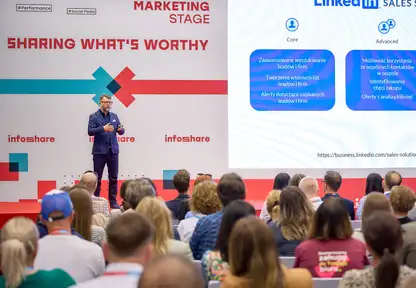
Your LinkedIn trainer: Rafał Szymański
Rafał Szymański is one of the few experts in Poland who deals exclusively with LinkedIn and LinkedIn Sales Navigator. This is his niche and specialization since 2016. He doesn’t train on TikTok, Instagram, ads or any topic he gets asked about, but only on LinkedIn, its tools and building expert brand.
What will you receive?
Training materials
- All presentations and materials in electronic form
- Message templates - ready patterns to use
- Excel sheets with patterns for loading data to Sales Navigator
- Checklists and procedures
Certificate
- Each training participant will receive confirmation by external certifying unit of participation in the form of diploma and badge visible on LinkedIn profile
- Certificate is visible on LinkedIn profile of training participant
- Link verifying certificate authenticity Link to sample certificate
Post-training support
- 1 hour online consultation within 30 days after training
- Answers to questions that arise during implementing knowledge in practice