LinkedIn Invitations and Messages People Actually Read: Lessons from the Escola Mobile Podcast
In March 2023 I was Krzysztof Wojewodzic's guest on the Polish podcast "Escola Mobile. Biznes masz w kieszeni". For an hour we talked about how to write LinkedIn invitations and messages, whether company pages make sense, why I don't recommend automation tools (other than my own) and which metrics to take to the board. I wrote down what I said back then and checked what still holds in 2026.

Rafal Szymanski
I implement LinkedIn and Sales Navigator in companies so they turn a profit.
I've been training people in LinkedIn since 2016 — more than 5,000 of them, across 200+ B2B companies. Founder of B2B Marketing.AI, a CRM platform for advanced LinkedIn users. I help sales and marketing teams turn LinkedIn into a predictable source of leads. I've spoken about LinkedIn at the biggest conferences, including I Love Marketing, InfoShare and Effie, and picked up a few awards along the way.
Published On
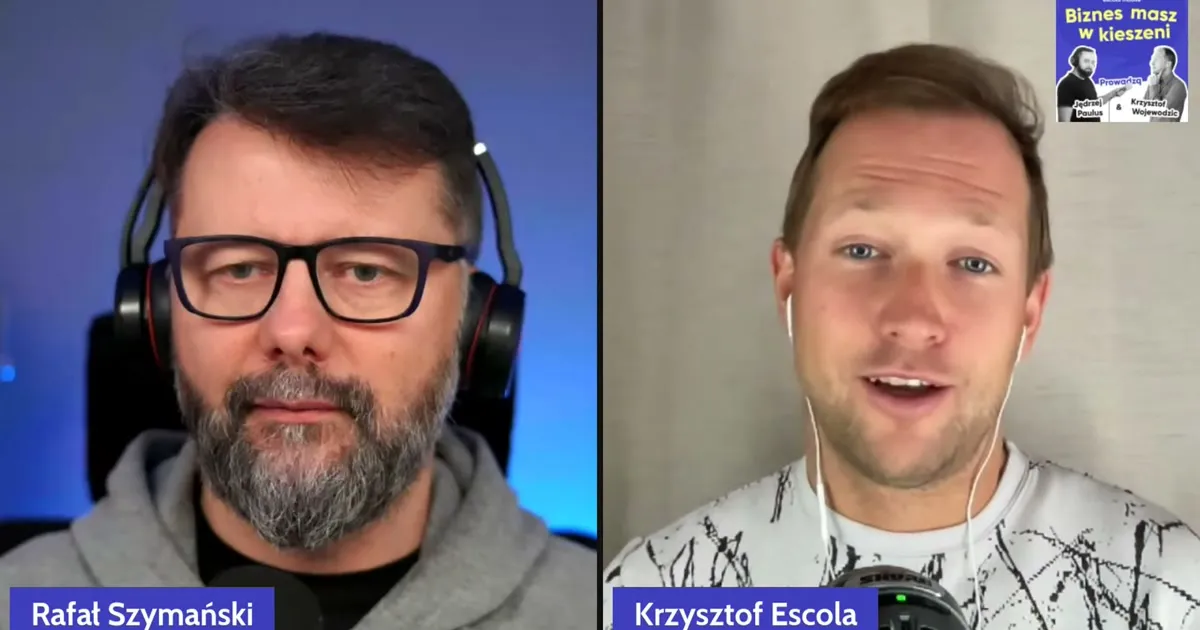
This article is an account of my conversation with Krzysztof Wojewodzic on the Polish podcast “Escola Mobile. Biznes masz w kieszeni” (“You have business in your pocket”). The episode was titled “Don’t be yet another LinkedIn message nobody reads”. We covered how to write LinkedIn invitations and messages, what a company page is good for, how to map a buying committee, why I don’t recommend outreach automation tools and what to take to the board when it asks for metrics.
The conversation took place in March 2023, so at the end I check which of the things I said are out of date today. Quite a few are.
Wednesday, a few minutes past one in the afternoon, a live stream. I’m sitting in front of the camera in a grey LinkedIn hoodie that says “INspired” (I didn’t put it on by accident, it came in handy when we got to invitations). Krzysztof opens with banks going bankrupt, startups struggling to raise money and his friends at software houses struggling to find a client who will commit. So what else is there to talk about, if not winning clients?
In this article you'll learn:
- why rolling out LinkedIn in a company meets resistance from salespeople;
- whether to send an invitation with a note or without one, and what to put in the note;
- what a campaign looked like in which 954 messages led to more than 50 meetings;
- how to map a buying committee in Sales Navigator;
- whether a LinkedIn company page makes sense;
- why I remove people who never react from my connections;
- how to recognise an automation tool that will cost you your account;
- which KPIs to show the board;
- what has changed since 2023.
What the conversation was about and who hosted it
“Escola Mobile. Biznes masz w kieszeni” is a Polish podcast about the business side of IT, hosted by Krzysztof Wojewodzic and Jędrzej Paulus of Escola. My episode was a live stream on 22 March 2023 and ran for just over an hour. Krzysztof introduced it as the second in a series on generating leads from LinkedIn: the first was about sales, and he invited me as the marketing person. Since the podcast lives on as audio, I decided to write it up as an article with my own conclusions.
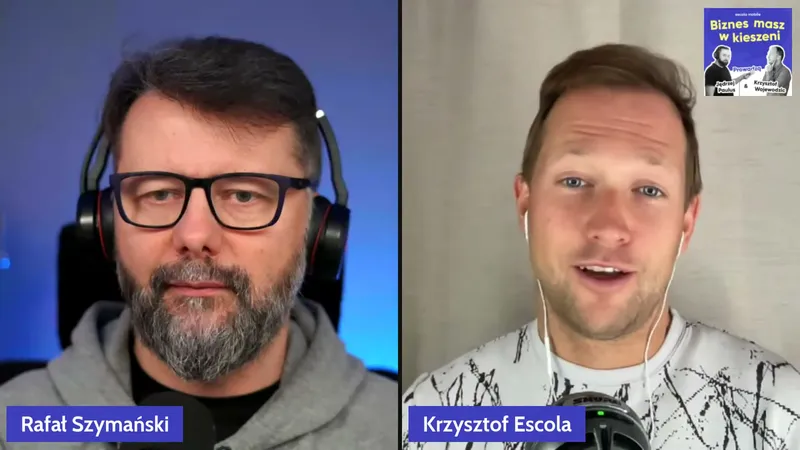
I introduced myself the way I usually do. I split my time into three parts. The first is family: I’m a father of four, one of my children has a mental illness, and that is why I work pro bono on child and adolescent psychiatry (more on my social activities page). Professionally, I work with LinkedIn. I set up my account 16 years earlier to find a job, and 10 years earlier I got my first corporate assignment: rolling out LinkedIn at Philips, where I ran digital sales. A few large rollouts followed and then I went out on my own. Besides LinkedIn and Sales Navigator training, I also have my own software that helps salespeople, HR and advanced users get more out of LinkedIn without spending more time on it.
I also said I was a Sales Navigator fanboy. Consider yourself warned, because the name comes up a dozen or so times in this text.
A note: the numbers, prices and feature names in the part about the conversation are from March 2023. I record them as they were said, and the current state is at the end.
The full recording (in Polish) is on YouTube:

Why rolling out LinkedIn in a company meets resistance
Krzysztof picked up on something I’d said: that the rollout at Philips met strong resistance. Why resistance, if the tool is supposed to help with sales?
There are two reasons and they come back with every sales tool. The first is the learning curve. When I counted how many tools an experienced B2B salesperson uses day to day, I got almost 30. They can have two or three CRMs to fill in: some legacy system from years ago, a new Salesforce, and here I come with LinkedIn. “Oh God, another one, I don’t have time for this.”
The second reason is diligence. Marketers and salespeople are busy. We can have a great strategy for writing and building connections, and still most people do it for the first week and stop in the second or third. Something always comes up, there is always something more important than sorting out LinkedIn.
Krzysztof added that everyone is willing and able to post once or twice, and the problem starts when you have to do it every week. I agree, and I’ll come back to consistency, because it is my sin number one.
LinkedIn is a hammer: a tool, not a goal. Are other platforms useful too?
At every marketing conference you hear Instagram and TikTok. Krzysztof asked whether LinkedIn works for me and my clients or whether I simply like it.
I like it for a simple reason: most people here sign with their first name, last name and company. That means fewer shitstorms than on Facebook and a different tone, and on top of that I can see who comments on whose posts and refer to it when I’m building a relationship.
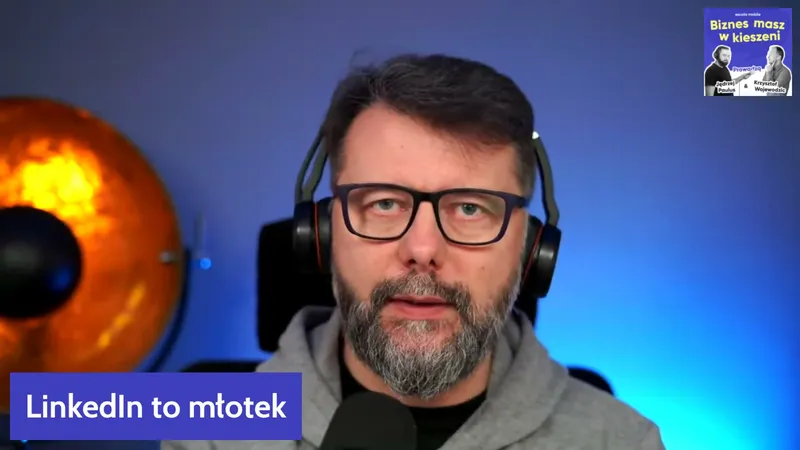
But LinkedIn is a tool, a hammer I use every day. Being present and active on LinkedIn should serve business goals, not be a goal in itself. I treat it as something to use, not something to worship, which is what I see others doing. I use other platforms to see where the clients are, and I keep in mind that each has its own form of expression and its own technicalities. I see it with the politicians I was training at the time (election season was starting): they copy their TikTok videos straight to LinkedIn. It doesn’t work that way.
Carousels and the phone screen
As an example of a format you won’t find elsewhere, I gave carousel posts. They hold attention on a single post for a long time, and the easiest way to make one is a PDF, even one built in PowerPoint. I also mentioned a new thing we were waiting for in Europe at the time: a carousel that mixes a document, photos and video.
Krzysztof had started experimenting with carousels himself, so I gave him two tips people forget:
- what you design on a large monitor will be viewed on a phone, so no more than 30 words per page;
- draw an arrow pointing right in the bottom right corner, because not everyone knows the thing scrolls.
Without that arrow we sometimes put in all the work and the post goes nowhere.
Groups and closed communities
Krzysztof noticed that people are escaping to closed communities on Slack and elsewhere, because the algorithm doesn’t rule there. Does LinkedIn have an answer to that?
I confirmed his observation: LinkedIn is bad at groups, even though it grew up on them. The paradox is that in narrow industries those dead groups are the best source of leads. The week before the recording I ran a campaign aimed at banking CFOs who are expats in Dubai. Where else would you find those people in one place? The group isn’t active, but it gathers them.
LinkedIn had just added a notification bell on personal profiles and a similar one for groups. In my view it still doesn’t stand a chance against other platforms.
A LinkedIn invitation: with a note or without?
Krzysztof came with a bold hypothesis. Training courses teach you to add a message to your invitation. Meanwhile he rejects invitations with a message more often than those without, because an invitation with no words is probably someone he met at a conference. So Escola started sending invitations without a note. What did I think?
The mechanism he described is real. If you share many connections with someone, have the word “director” in your headline and a big company behind you, they will accept you thinking “might come in handy one day”. But more and more people know that a good share of invitations come from fake accounts and bots that collect contacts and data for spam or for crime (I wrote about it in How to Spot Fake LinkedIn Profiles and Spam Bots).
I’m in favour of the note. Why so sure? The year before, my automation software had sent several million invitations and we tested different versions. A note should contain four things:
- why I’m inviting this particular person;
- what they get out of accepting me;
- what happens next;
- a date, because later you have no way of checking when the invitation was sent and when it was accepted, and that turns out to be useful.
The third one matters most. When I ask people at my training sessions what they fear when accepting invitations, they all say the same thing: that they’ll accept someone pleasant and the first message will be a PDF with an offer or a “no-strings invitation to a 15-minute meeting”. Krzysztof called it a blind business date and said he hates it. An invitation without a note is exactly that kind of date: you don’t know what comes next.
An invitation with a note also shows the date it was sent, which helps when the person has changed their headline or accepted after a really long time. I’ve had cases where I’m browsing my network and I see someone whose headline says “Savouring life and raising sheep”. WTF? I would never have sent an invitation to someone like that. I looked at the note: OK, a former head of an IT company I had invited two years earlier. He probably burned out, dropped everything and moved to the mountains to raise sheep. The story sounds like a joke, but it’s true.
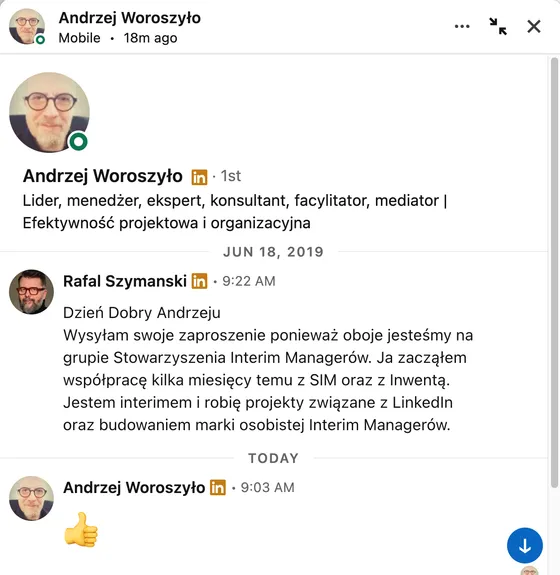
The next example is in the illustration: invitations accepted after many, many years. This one was sent in June 2019 and accepted on 23 September 2026.

I improvised a note for Krzysztof, who is in IT and is inviting a marketing director. Roughly: hi Marek, I’m inviting you even though you’re in marketing and I’m in IT, because I host a podcast about marketing in IT and you’re an expert in it; I’m hoping for some mutual inspiration. I went over the 300-character limit and it would need trimming, but the first three things are there, plus something extra: an appeal to the ego.
And why would someone in IT want marketing directors? Because they are the most active people on social networks and have the widest contact bases. I call such people information hubs: their connections unlock further ones for you.
954 messages and more than 50 meetings: the “ego” campaign
Invitations that appeal to the ego simply work. I told a story I had shown earlier at the I Love Marketing conference.
The task: book meetings at companies with revenue above 100 million euros on the German market. From Sales Navigator we took one piece of information, namely how many years a person had been in their role. Is this someone who “stays put” and builds a career inside one company, or a “jumper” who changes employer every two years to climb higher? (If you’ve read “Who Moved My Cheese?”, you know the distinction.)
There was one template, but with variables, so it produced two different messages:
- a jumper got a request for an interview about managers who build fast careers in corporations, naming their current and previous company;
- a stayer got a request for a 15-minute conversation about organisational culture, as an experienced manager who had been with the same company for seven years.
We sent 954 such messages and booked more than 50 meetings.
What to do with the note six months later
The note has one more advantage: its date stays in the conversation history. I have an automation that catches contacts I haven’t exchanged a word with for six months. Then I write: listen, we’ve been connected since March and we never talk, so how about we talk, how are things with you. No selling. It works wonders.
Krzysztof asked where to find the time, since his listeners are directors and managers, not people who sit on LinkedIn all day. I said that’s what tools are for. Sales Navigator has alerts about lead activity, and at the time I was using an app called LeadDelta, which tidies up the inbox and lets you tag contacts, for example “six months of silence, go talk”. Today my own LinkedIn software runs that scenario automatically and it works very well. No spamming, just a few selected people a day.
Automation should save you time on sending so that you have it for replying when someone writes back. If you have 20 minutes a day for LinkedIn, don’t spend them on invitations. Pick four people and talk to each for five minutes.
How to map a buying committee in Sales Navigator
Krzysztof described his problem. When Escola goes after a contract, several people decide on the other side: the CTO, a project manager, the CFO, someone from procurement. He would like to know all of them by name, have them in his network and have them listen to his podcast beforehand. How do you do that?
LinkedIn says a buying committee like that is 7 to 12 people. I would start by establishing who is on it, and Sales Navigator had two ready-made tools for that at the time:
- Account Map: one person from a given company is enough to get, in the company tab, a suggested map of people split into three tiers of importance. Tier one is the board and decision-makers, tier two the people who report to them, tier three one level below. One click.
- Relationship Explorer, introduced in February 2023: LinkedIn analyses your activity and the company’s activity and then points to a few people who may be interested in talking.
Why is the second one better? Because we do business with people we like, and the person who brings you into a company is often not the one who decides on the contract. LinkedIn calls that person an influencer: they are the one who says internally that there is a company like Escola.
Then there is buying intent. The Buyer Intent feature will show you that company X visited your company page, its people clicked on your posts and visited your website. It won’t give names, it will only say that it was the marketing director of company X. And who the marketing director of company X is, you can find out in a minute. You have a person who will bring you into the company, and you can ask them who to talk to.
Does a LinkedIn company page make sense?
This was Krzysztof’s dilemma as a CEO. His posts and his employees’ posts get a dozen or a few dozen reactions and thousands of views, while the company page sits idle. He follows Michał Sadowski himself, but not the Brand24 page. Invest in the company page or not?
The answer was in the question. LinkedIn is bad at company pages. You need them for two reasons: so that employees can add the company with its logo to their profiles, and so that you can attach ad campaigns.
They do have a few advantages:
- you can see who follows the page, which company they are from and how they react to posts, so you can invite those people to your network from a personal account (they will accept, because if they follow, they are interested);
- they have built-in employee advocacy tools: you prepare draft posts, employees publish them on their own profiles with their own comment, and analytics show whether it works (at the time I knew only a few companies in Poland doing this well);
- with enough followers in a given language (it used to be 300) you can target a post at a chosen language, which settles the question of whether to write in Polish or in English.
And the reach of the posts? Practically zero. We once measured it on a Polish example. BNP Paribas announced that it would put Maria Skłodowska-Curie and other Polish women of science and art, who are less known than they should be, on its payment cards. Almost the same post went out from the account of the CEO, Przemek Gdański, and from the bank’s page. A discussion broke out under the CEO’s post and engagement was 1,270 times higher. Why? Because we want to talk to people, and not necessarily to companies.
Krzysztof added that under a CEO’s post someone signs their name and takes responsibility, while with a company page nobody knows who does. My conclusion for him: it is better to invest in the profiles of the people who run the company than in the company page.
In Polish or in English? Hashtags and the first 10% of your network
Escola has more and more clients abroad, and Krzysztof rarely writes in English. He asked whether to post in English on selected days or to write bilingually, half and half.
I said that LinkedIn is poor at recognising languages other than English (my own observation from measuring posts) and that hashtags help. Back then I advised three to five, industry-specific, at the bottom of the post, because they are for the algorithm, not for people. Thirty, Instagram-style, won’t work. If he writes in English regularly, his English-speaking network will start reacting and the algorithm will serve those posts to that network.
While we were at it, I explained how a post spreads. It is not the case that I have 20,000 connections and 20,000 people will see my post. At first LinkedIn shows it to a small, random part of the network; I spoke of 8–10% at the time. The rest depends on how that group reacts.
Why I remove people who never react from my connections
Earlier Krzysztof had mentioned that he accepts recruiters into his network because they have thousands of developers among their connections. I said: don’t. And I promised to change my mind if he showed me a single recruiter who had reacted to one of his posts.
Recruiters and people who collect connections for a living (they are called LIONs, for LinkedIn Open Networkers) won’t like your post. Imagine you’ve worked hard on a post, LinkedIn showed it to 85 people to begin with, 20 of whom were recruiters and 20 weren’t on LinkedIn that day. The post is gone.
That is why every month I remove roughly as many people from my connections as I accept. I remove the inactive ones and follow them instead. What do I lose? Nothing: I can see what they do, and if we exchanged messages earlier, I can still write to them. Krzysztof called it a pro tip. You don’t have to look for active people by hand, because Sales Navigator has a filter for that.
Messages or posts: where to put your energy?
Krzysztof noticed a pattern in his own activity. “Deep thoughts” get wide reach and lots of reactions, but not from the people he cares about. An industry post, say about an e-learning report, gathers five people in the discussion. So what should he do: post or send messages?
I started by saying that those five people may bring the best sales. And the answer is: both, except that hardly anyone uses messages in a planned way.
What can that look like? You pick a group, for example English-speaking clients or people interested in one technology (Sales Navigator will filter them for you), and you write: you’re in Norway, I’m in Poland, so you surely missed my post about the e-book, shall I send it over? No selling. Most of us treat LinkedIn messages the way we treat Facebook, writing something once in a while. We don’t turn them into campaigns and I don’t know why, because it works great.
Outreach automation tools: why I don’t recommend them
Krzysztof mentioned that Escola uses Waalaxy. I said I’m allergic to that tool and explained why.
Waalaxy used to be called ProspectIn. Why the name change? According to what I said at the time, ProspectIn was taking LinkedIn users’ data on such a scale that LinkedIn blocked the accounts of the people using the program, and they had no one to claim damages from. There was a Waalaxy user group on Facebook and I saw hundreds of posts in it along the lines of “I used it for six months, it was great, suddenly my account is blocked and LinkedIn won’t unblock it”.
Krzysztof asked whether this is against the terms of service. It is. And how does LinkedIn detect such tools? The same way a news site detects AdBlock and tells you to turn it off. Recognising installed add-ons by the browser fingerprint is a common technique, no rocket science.
The worst story I had was from the week before the recording. People I had trained got in touch: their accounts with Sales Navigator were blocked, what should they do? It turned out they had installed an automation tool. They lost their connections, their messages and the sales they had on them, but they were crying for a different reason: their cards were attached and LinkedIn kept charging for the subscription despite the block.
How to check a tool before you install it
During the stream a question came from the audience: if not that tool, then which one? I didn’t advertise. I already had my own software back then, which installs nothing on the client side, but I wasn’t selling it as a service. Instead I gave two tests:
- how you log in: if the tool makes you install an extension or enter your LinkedIn login and password, it is not safe;
- whether it is on the partner list on LinkedIn’s website next to Sales Navigator: it used to be CRMs only, such as Salesforce and Microsoft Dynamics, and in 2023 I gave Gong and Outreach as examples.
Four mistakes I make myself
Krzysztof asked me to say what not to do. I’d been dreaming of that question. We Poles like to point fingers at what others do wrong, so I talked about my own sins.
The first is lack of consistency. I call it the New Year’s resolution effect. When are there the most posts on Polish LinkedIn? On Mondays. Why? Because on Sunday we sit there stressed about work, the boss told us to show results, we resolve “I’m going to build my brand” and on Monday everyone floods the feed. Set up a process or an automation for it.
The second is faith in scale. We have plenty of potential clients on LinkedIn, and instead of splitting the base into segments and writing something different to each, we send the same invitation to everyone. A thousand invitations, some percentage will reply. It works in advertising, it doesn’t work in relationships between people.
The third is treating LinkedIn as the goal. LinkedIn is one of the tools in the B2B sales process. At I Love Marketing I showed a breakdown of such a process from start to finish: how many meetings at conferences there were, how many posts before the first conversation with the client, and how many steps before the matter reached the board and then procurement. If someone tells you “set up a profile and sales will come by themselves”, then no. You have to move contacts from LinkedIn to meetings as fast as you can, and get emails and phone numbers.
The fourth is the shortcut: we download a database, throw it into an automation tool, send invitations and ask for a meeting in the first message. Krzysztof summed it up in his own way: you don’t go to bed on the first date.
Which LinkedIn KPIs to show the board
The last question was on behalf of larger companies. The board pays for Sales Navigator and asks the head of marketing for metrics. What should it ask about and what should you bring?
I gave a talk about this at I Love Marketing: how to prepare for a conversation with the board before we say that LinkedIn is cool. In a corporation the same project can be sold to several departments, and each will have different KPIs:
- HR: the number of training sessions delivered and an employee advocacy programme in which employees become ambassadors of the company;
- sales: more sales, a bigger basket and a shorter time to a signed contract, because you know the buying committee;
- marketing: more inbound enquiries and an assessment of your materials thanks to Smart Links in Sales Navigator, which show who opened the offer, by name, and how many seconds they spent on each page (you’ll see whether you’re boring them);
- sales support and the CRM team: Sales Navigator connected to the CRM cleans the database and alerts you when your lead changes company (what do you do then? You call).
And LinkedIn’s own metrics? The share of your target group among your connections, post engagement, the Social Selling Index. Many people start with them. I put them last, because they are a nice extra and don’t affect the company’s financial result.
Krzysztof pointed out that Sales Navigator in a larger company isn’t cheap. I quoted the 2023 Polish price list from memory: Core cost 300 PLN, Advanced (the former Team account) 440 PLN per seat, and Advanced Plus with two-way CRM integration 1,350 PLN per seat with a minimum of ten seats, which makes 13,500 PLN a month.
Krzysztof closed the conversation with three conclusions: automate, but with tools LinkedIn allows; use both messages and posts; and above all do it consistently. I have nothing to add.
What has changed after three years
I listened to the conversation again in October 2026 and checked what has aged. The rules for writing invitations and the four mistakes stand. Not all of the numbers and feature names do.
I’ll start with my own mistake. I said live that Microsoft bought LinkedIn in 2015. It bought it in 2016: the deal was announced on 13 June 2016, for 26.2 billion dollars. The slip came from the fact that we had been given beta versions of the tools to test before the change of owner was announced.
Invitation notes have changed the most. In 2023 I spoke of a 300-character limit and didn’t mention a limit on the number of notes, because most accounts didn’t have one. Today, according to LinkedIn’s help page, a free account can add a note to only a few invitations a month, and the note itself can be up to 200 characters. Premium accounts have no limit on the number of notes. Does that change my advice? No, but on a free account you save the note for the few people you care about most. Better still, buy a paid account.
Sales Navigator has become more expensive. On my account, in September 2026, Core costs 440 PLN net per month (289 PLN when paid annually up front), Advanced 754.99 PLN, and Advanced Plus is priced individually by LinkedIn. So Core now costs what I quoted for Advanced in 2023.
Account Map is gone. In December 2023 it was replaced by Relationship Map, which since 2026 also handles people from several companies at once (I described it in LinkedIn Sales Navigator 2026 — New Features). Relationship Explorer and Buyer Intent are still there.
The advice about three to five hashtags is out of date. LinkedIn withdrew hashtag following and today I treat hashtags as a topic label: two or three are enough. More on how a post spreads in How LinkedIn Really Works: the Algorithm, Reach and B2B Sales Without the BS.
The Social Selling Index, which anyone could check for free in 2023, has been put behind a Sales Navigator licence. All the easier to leave it for the end of the board presentation. Details: LinkedIn Is Putting Social Selling Index Behind Sales Navigator.
There are no fewer fake accounts. LinkedIn itself says that in 2024–2025 it blocked or removed more than 140 million fake profiles. So the argument that an invitation without a word of explanation looks like a bot is stronger than it was in 2023.
The mixed carousel (document + photos + video) that “we were waiting for in Europe” never reached us in the end, and that feature will probably never arrive.
LeadDelta has changed what it does: from an inbox and contact organiser, since that is a small differentiator (in my own tool I have it better organised, and it is one of the side features of the CRM, next to automated campaigns, AI-assisted post planning and optimisation, analytics and so on), into a tool for finding email addresses and sending cold emails.
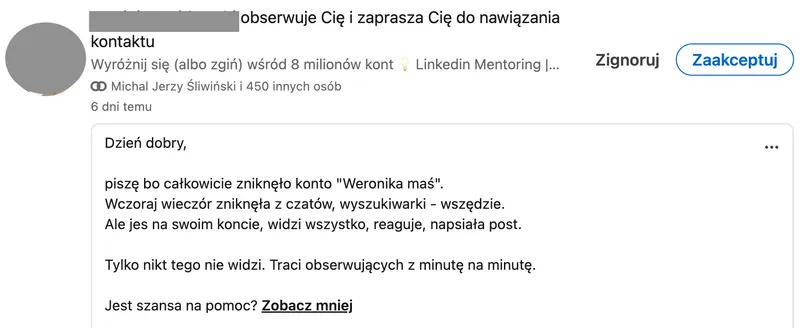
Waalaxy lives on, and a few times a month I still get messages like this one.
If you want to practise writing invitations and messages on your own target group, I do that in my B2B sales training on LinkedIn, and working with the buying committee in my Sales Navigator training.
Sources
- Nie bądź kolejną wiadomością na LI, której nikt nie przeczyta. Rafał Szymański, recording of the Escola Mobile Live stream (in Polish), 22 March 2023
- Personalize invitations to connect, LinkedIn Help
- Microsoft to acquire LinkedIn, Microsoft, 13 June 2016
FAQ — LinkedIn invitations and messages
Maybe we can do something together?
If you like what I write, maybe I can write something for you?